
A set of colors built around one anchor code, such as #2563EB, with each color given a job: surface, text, accent.
Harmony doesn’t guarantee readability, because WCAG contrast is measured per pair. White text on the amber accent #FBBF24 scores 1.67:1 and fails AA, while navy #0F172A on it reaches 10.69:1.
What a HEX Code Represents
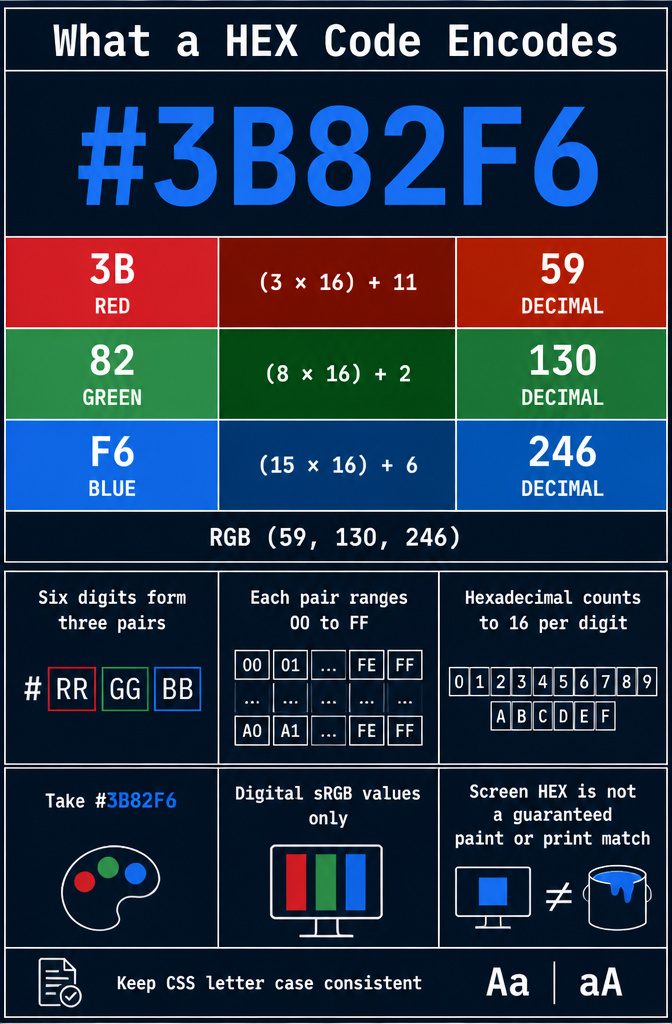
A HEX code is a hash followed by six characters in three pairs: #RRGGBB.
The first pair sets red, the second green, the third blue, and each pair runs from 00 to FF. Hexadecimal counts to 16 per digit, so each digit is 0–9 or A–F, in upper or lowercase.
Take #3B82F6.
Red is 3B, or (3 × 16) + 11 = 59. Green is 82, or (8 × 16) + 2 = 130.
Blue is F6, or (15 × 16) + 6 = 246. That gives RGB (59, 130, 246).
Pick uppercase or lowercase and stay consistent throughout your CSS. These are digital sRGB values, so a screen HEX is not a guaranteed paint or print match.
Get a Starting Color
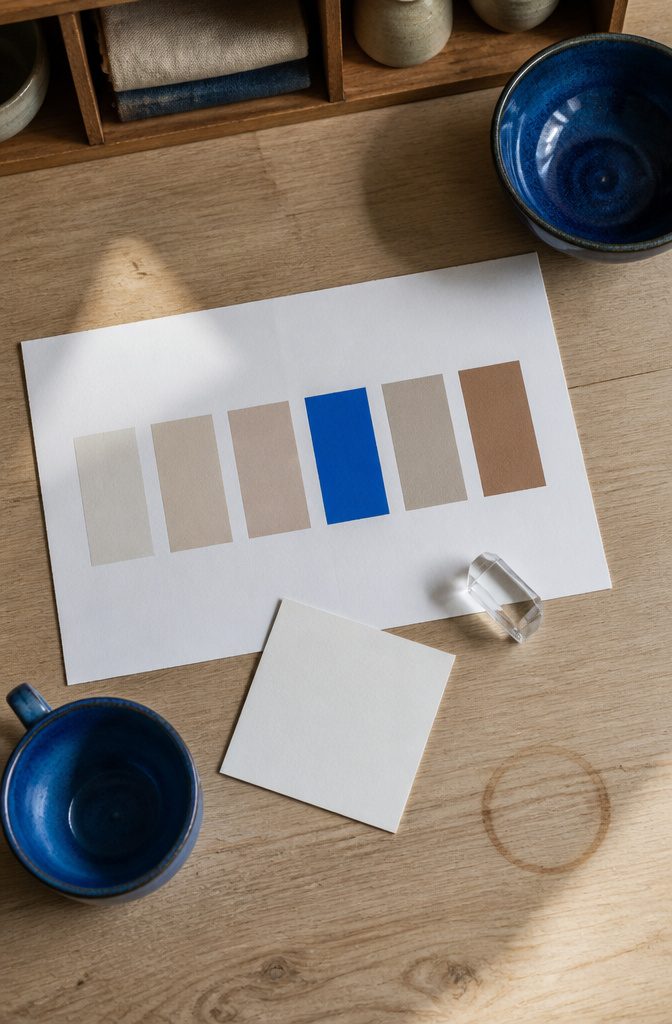
If you already have a code, type it in.
Enter all six digits of #2563EB as the anchor, since the typed value is the exact starting point. Keep a copy of it before you experiment.
For a logo or photo, sample the color with a picker. Compression and blended edges shift pixels, so a sampled value is a candidate, not the official spec.
With no color yet, browse by tag. The 43 categories include pastel, vintage, retro, neon, warm, cold, sunset and night, and tags reflect how the colors measure, not what a preset intended.
Or let a generator build around one color and lock the shades you like. Either way, you decide each color’s job.
How Colors Relate
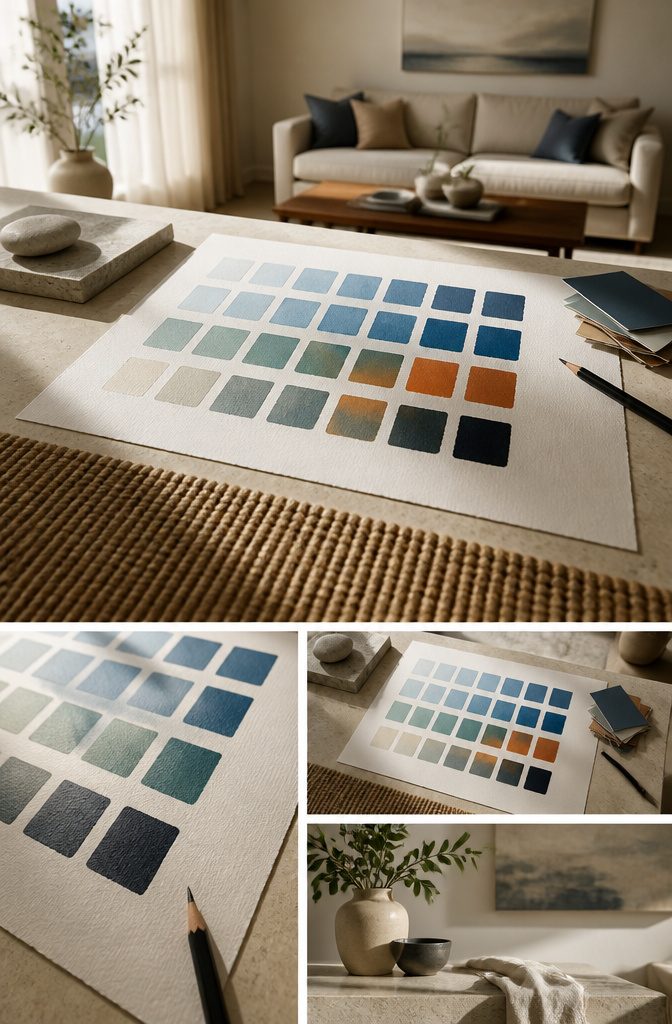
Six relationships cover most palettes.
Monochrome keeps one hue and changes only lightness. Analogous uses neighbors on the color wheel.
Complementary pairs a hue with its opposite. Split-complementary uses the two hues beside that opposite, triadic spaces three hues evenly, and tetradic uses four.
Start with analogous for nearby-hue variation or complementary for an opposing accent. The larger schemes give more candidates and more decisions, so keep one color dominant and drop any hue with no job.
Lightness should form a ladder of clear steps from light to dark, and chroma should taper at the extremes, so the lightest and darkest steps are less saturated.
A harmony does not guarantee readability. To make light and dark variants, use HSL or a tool, or multiply each channel: #3B82F6 darkened 20% (each channel times 0.8) gives #2F68C5.
59×0.8 ≈ 47 (2F), 130×0.8 = 104 (68), 246×0.8 ≈ 197 (C5), so the correct result is #2F68C5, which I used.
Give Each Color a Role
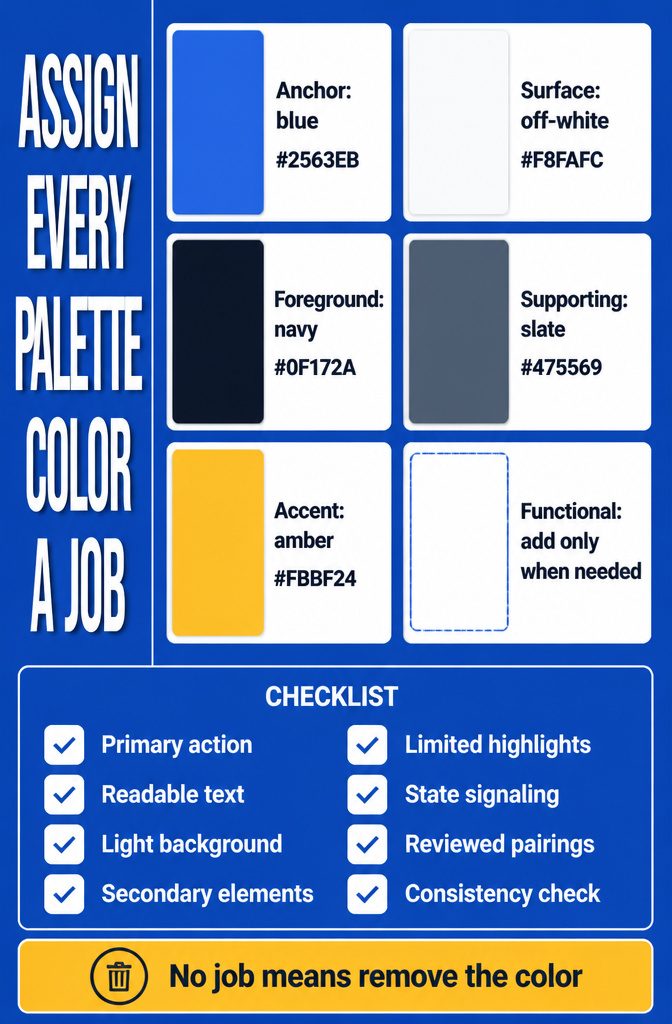
Give every color one job. This example set starts from a blue:
- Anchor: blue #2563EB, used for the primary action or branded emphasis. A brand HEX can stay unchanged here as the approved anchor.
- Surface: off-white #F8FAFC, the light background.
- Foreground: dark navy #0F172A, for text on light surfaces. Surface and foreground are your neutrals.
- Supporting: slate #475569, for secondary elements. Check each pairing it sits in.
- Accent: amber #FBBF24, for limited highlights with a verified foreground.
- Functional: colors that signal states, added only if the project has them.
An anchor, a light surface, and dark text can be enough for a simple layout. Any color without a job gets removed.
Check and Apply the Palette
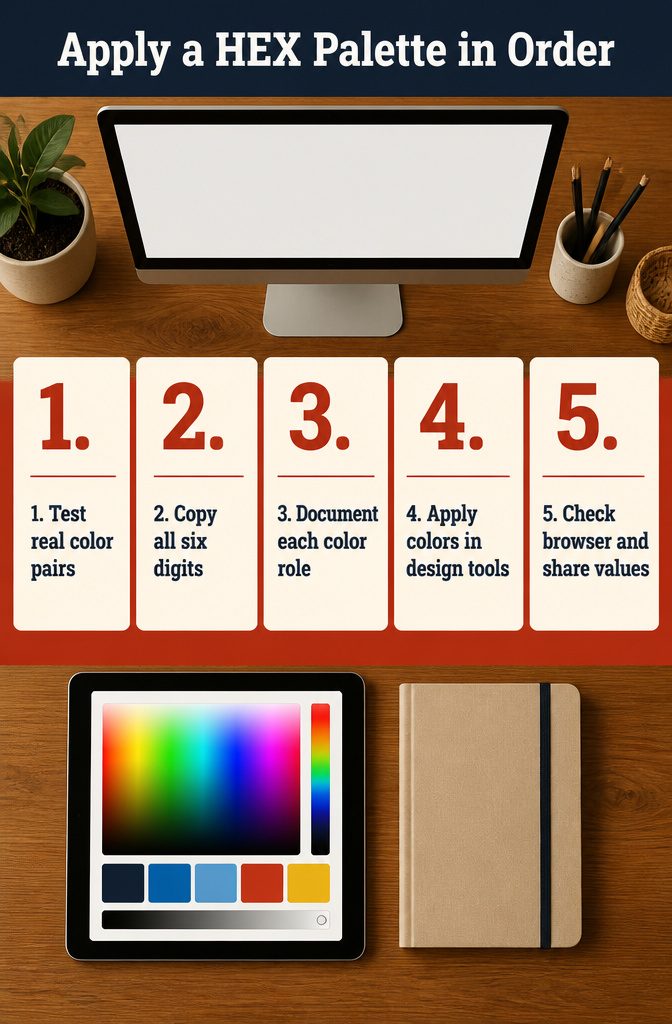
- Test the real pairs. Put each text color on the background it will actually sit on, and judge it in a realistic layout, not on the swatches alone.
- Copy all six digits exactly. Paste the code instead of picking by eye, because visual color picking causes small mismatches between design and code.
- Document each color. Write down its role, the approved text and background pairs, and any restrictions.
- Apply it. In CSS, store each color as a variable:
--color-primary: #3B82F6;and--color-primary-light: #60A5FA;. In Figma or Sketch, paste into the HEX field of the color picker. In Photoshop or Illustrator, use the HEX field at the bottom of the Color Picker. - Check it in the browser. In developer tools, click a swatch in the Styles panel to switch between HEX, RGBA and HSLA. Then share the documented values with your team so everyone works from one list.
Shorthand and Eight-Digit HEX
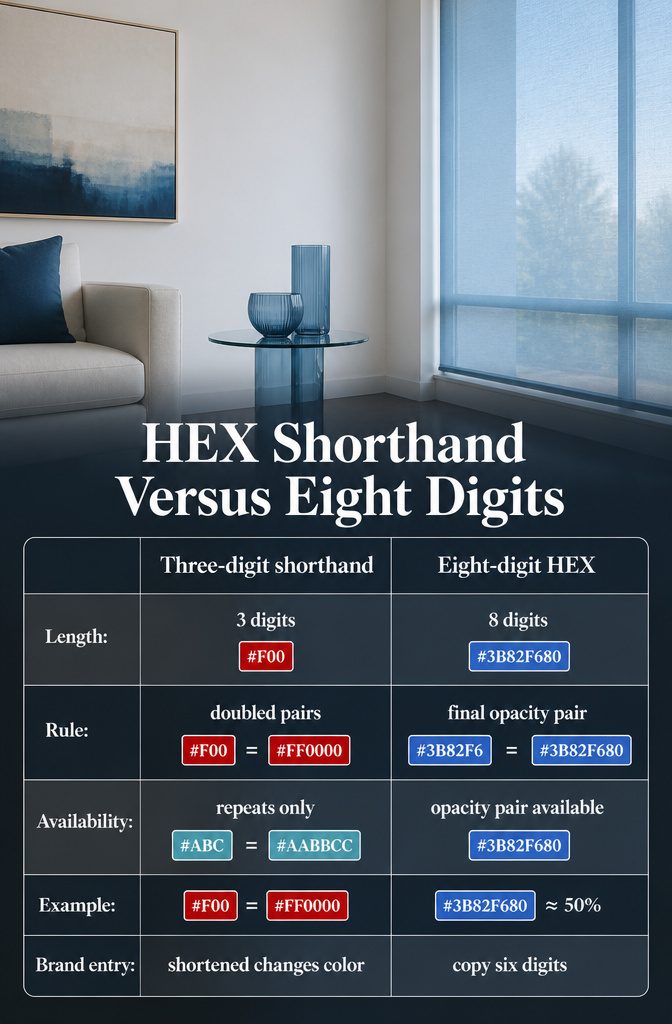
Three-digit shorthand doubles each digit, so #F00 is #FF0000 and #ABC is #AABBCC.
It only works when every pair in the six-digit code repeats a digit, so most colors have no short form. The blue #3B82F6, for example, can’t be shortened.
An eight-digit code adds a pair at the end that sets opacity.
00 is fully transparent and FF is fully opaque, so #3B82F680 is that same blue at about 50% opacity. This is handy for overlays and tinted backgrounds, since you keep the base color and change only the last pair.
When you record a brand color in your palette, copy all six digits. Typing a shortened version changes the color.
WCAG Contrast Numbers
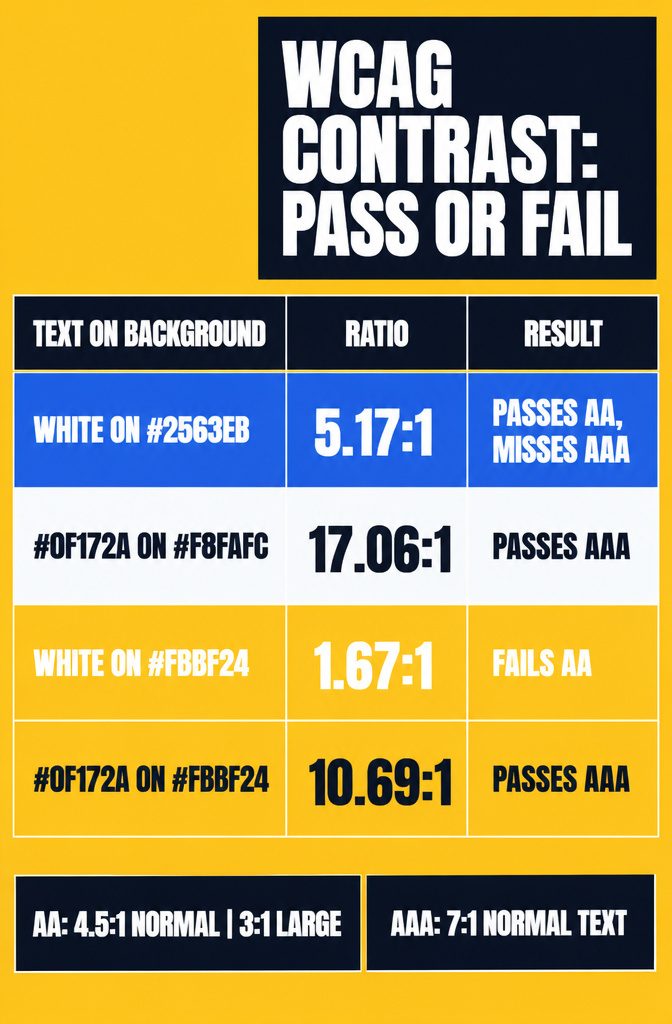
A generated palette does not pass WCAG on its own, because contrast is measured between one specific text color and one background. AA requires 4.5:1 for normal text and 3:1 for large text (18 points, or 14 points bold).
AAA asks for 7:1 on normal text. Check each pair in a tool like WebAIM Contrast Checker instead of trusting your eye.
| Text on background | Ratio | Result |
|---|---|---|
| White on #2563EB | 5.17:1 | Passes AA, misses AAA |
| #0F172A on #F8FAFC | 17.06:1 | Passes AAA |
| White on #FBBF24 | 1.67:1 | Fails AA |
| #0F172A on #FBBF24 | 10.69:1 | Passes AAA |
Amber still works as an accent if you put navy text on it.
Why OKLCH Looks Balanced
HSL treats a yellow and a blue at the same stated lightness as equals, and your eye disagrees.
OKLCH is a perceptually uniform color space, so equal steps in lightness look equal to the eye, which isn’t true in RGB or HSL.
That is what makes a four-color set hold together.
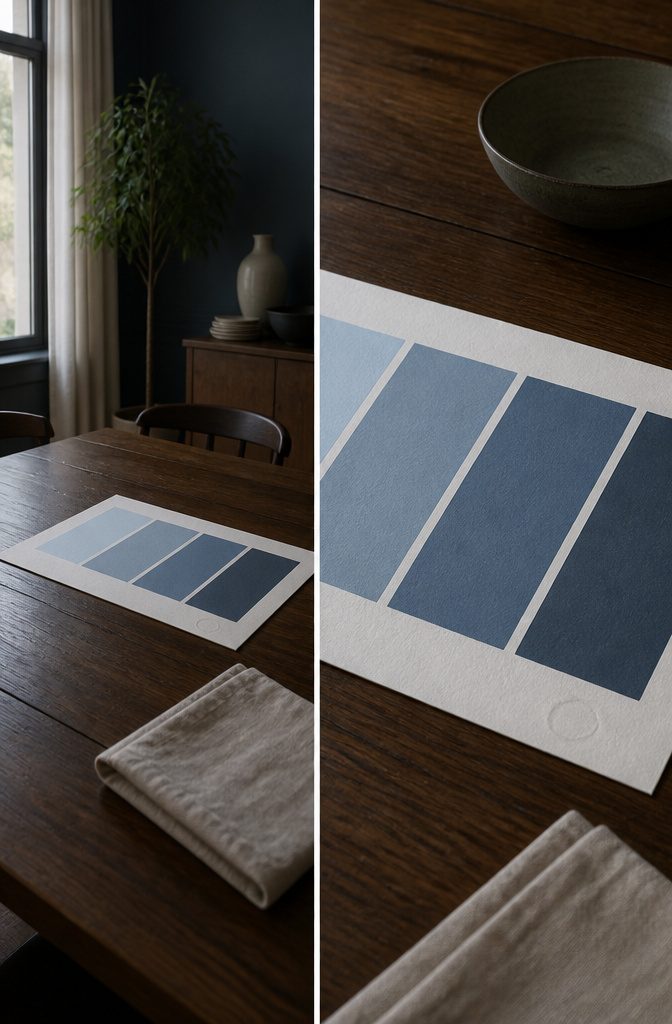
The colors sit on a lightness ladder from light to dark, and because the rungs look evenly spaced, the palette has a pale end and a dark end where text can sit.
Chroma tapers at both extremes, since very light and very dark colors hold less of it. That keeps the pale end from going chalky and the dark end from turning to mud.
Click any swatch to copy its HEX, or download the whole palette as a PNG.
Frequently Asked Questions
What is a HEX color code?
A HEX code is a hash followed by 6 characters in 3 pairs, written #RRGGBB, which set the red, green and blue channels.
Each pair runs from 00 to FF, and HEX is short for hexadecimal. For example, #3B82F6 equals RGB (59, 130, 246).
Are HEX color codes universal?
On screens, yes.
CSS, Figma, Sketch, Photoshop and Illustrator all accept HEX values. They are digital sRGB values, though, so a HEX code on screen is not guaranteed to match paint or a printed result.
Can I create a hex color palette from a single HEX code?
Yes.
Use the code as your anchor, pick a harmony relationship, add a light and a dark neutral, and give each color one job. Then test the actual text and background pairs before you apply anything.
How many colors do I need around the starting code?
Only as many as the project calls for.
An anchor, a light surface and dark text can be enough for a simple layout. Remove any color that has no job.
Which harmony mode should I use first?
Start with analogous for variation in nearby hues, or complementary for an opposing accent.
Triadic and tetradic schemes give you more candidates and more decisions. No mode guarantees readability, so compare the result against your brief.
Can I keep my original brand HEX value unchanged?
Yes.
Keep it as the approved anchor and adjust the supporting colors around it. Copy all 6 digits when you record it, because typing a shortened version changes the color.
Does a generated palette automatically meet WCAG?
No. Contrast is measured between one specific text color and one background, so each pair needs its own check.
AA requires 4.5:1 for normal text and 3:1 for large text. White on amber #FBBF24, for instance, measures 1.67:1 and fails.